JC8048W550C · ESP32-S3
Touch desk controller for macOS
Open apps, control volume and media from a 7″ display — configured through the Companion or the onboard web portal.
What’s in the system?
800×480 LCD + GT911, LVGL UI, BLE GATT, Wi‑Fi portal / OTA / icons.
Scan BLE → receive action_id → open apps / volume / media; sync volume to the deck.
Wi‑Fi, BLE pairing, idle settings; shortcut grid + action_id at touchdeck.local/grid.
Connection channels
| Channel | Used for |
|---|---|
| Bluetooth GATT | Tile presses, Now Playing, volume UI, companion commands (protocol v4) |
| Wi‑Fi | Portal, OTA, icon upload — no WebSocket launch |
On-desk screens
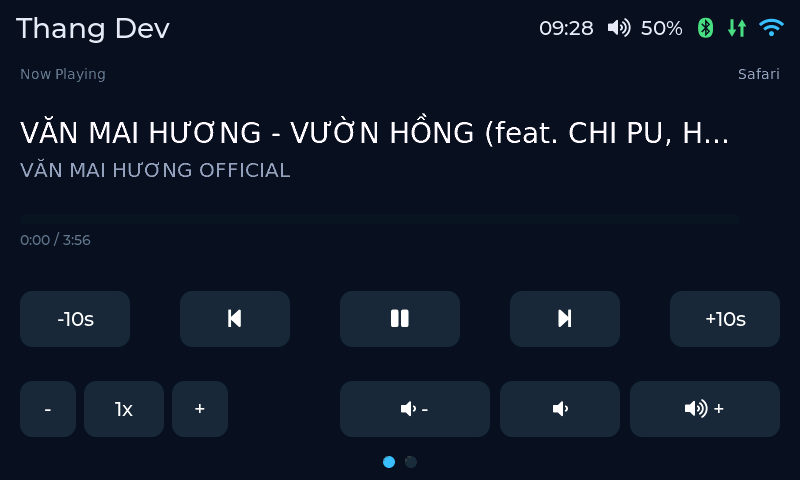
2–4 pages: Media (Now Playing) + shortcut grids. Swipe horizontally or tap the dots to change page. Status bar on the right:
| Icon | Meaning |
|---|---|
| Volume % / Muted | Mac output level (Companion GATT; updates on connect and after Vol±/Mute) |
| Bluetooth | Icon only — green = GATT connected; yellow = pairing |
| ⇅ | Green = companion linked — host tiles enabled |
| Wi‑Fi | Green = STA; yellow = AP setup |
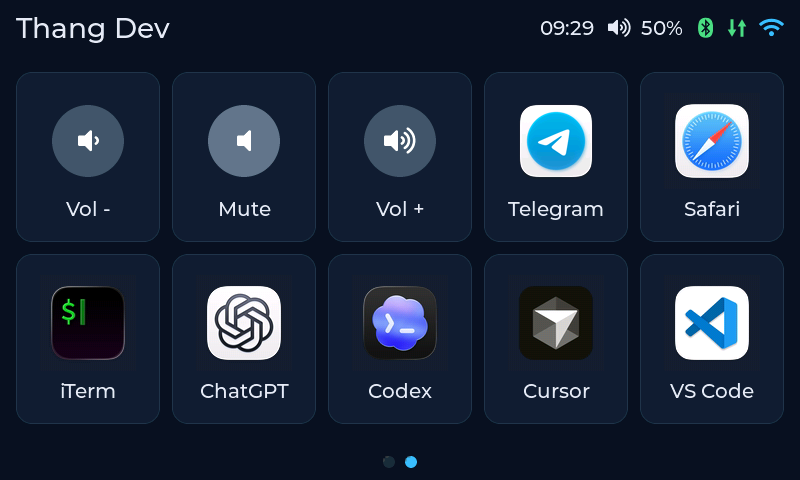
Media: seek ±10s, rate −/1x/+, Vol±/Mute. Grid: tap a tile to open an app.
Getting started
1. Flash firmware
- USB‑C cable with data + Chrome or Edge.
- Open Install firmware → Connect USB → Write firmware (erase flash on first install).
- If Wi‑Fi isn’t set yet, the board advertises AP
TouchDeck-Setup-XXXX(passwordtouchdeck).
2. Configure Wi‑Fi
- Join the AP or open
http://192.168.4.1/ laterhttp://touchdeck.local - Enter SSID, password, device name, hostname, OTA password → Save & Restart

3. Bluetooth (GATT)
- Enable Bluetooth (+ Pairing mode the first time) in the portal or Companion → Device
- On the Mac, grant Bluetooth access to TouchDeck Companion
- Companion → Scan BLE → Connect to TouchDeck-XXXX
Companion is the GATT central (not classic HID pairing). Volume/media are handled in the app — no system volume HUD from BLE HID.
4. Companion on Mac
Download the packaged app — no Node/pnpm required:
- Open the
.dmg→ drag TouchDeck Companion.app into Applications. - Launch the app. If macOS blocks it: right-click → Open.
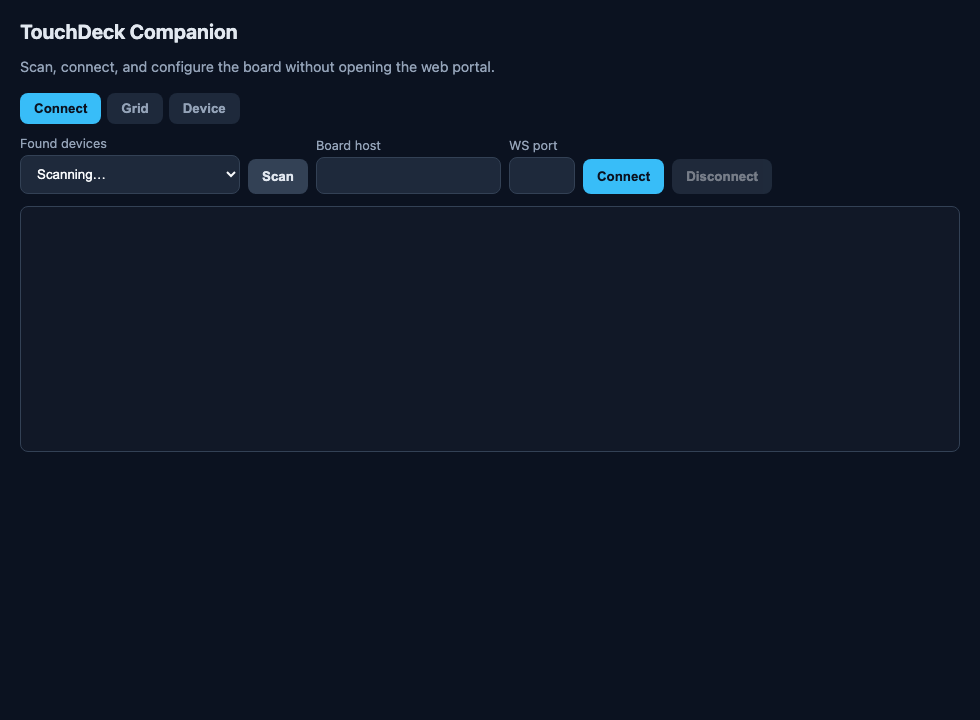
- Connect tab → Scan BLE → Connect.
- Grant Accessibility for media / keyboard / volume.
5. Daily use
- Open apps — tap an App tile (needs Companion GATT; tiles dim when disconnected)
- Volume — Companion adjusts macOS (~3% steps) and pushes % to the deck on connect and after Vol±/Mute
- Mute / play / next / prev / seek — need BLE + Accessibility
- Idle — dim → clock → dim again → off; the wake tap does not fire a button (lift, then tap again)
Customize the grid
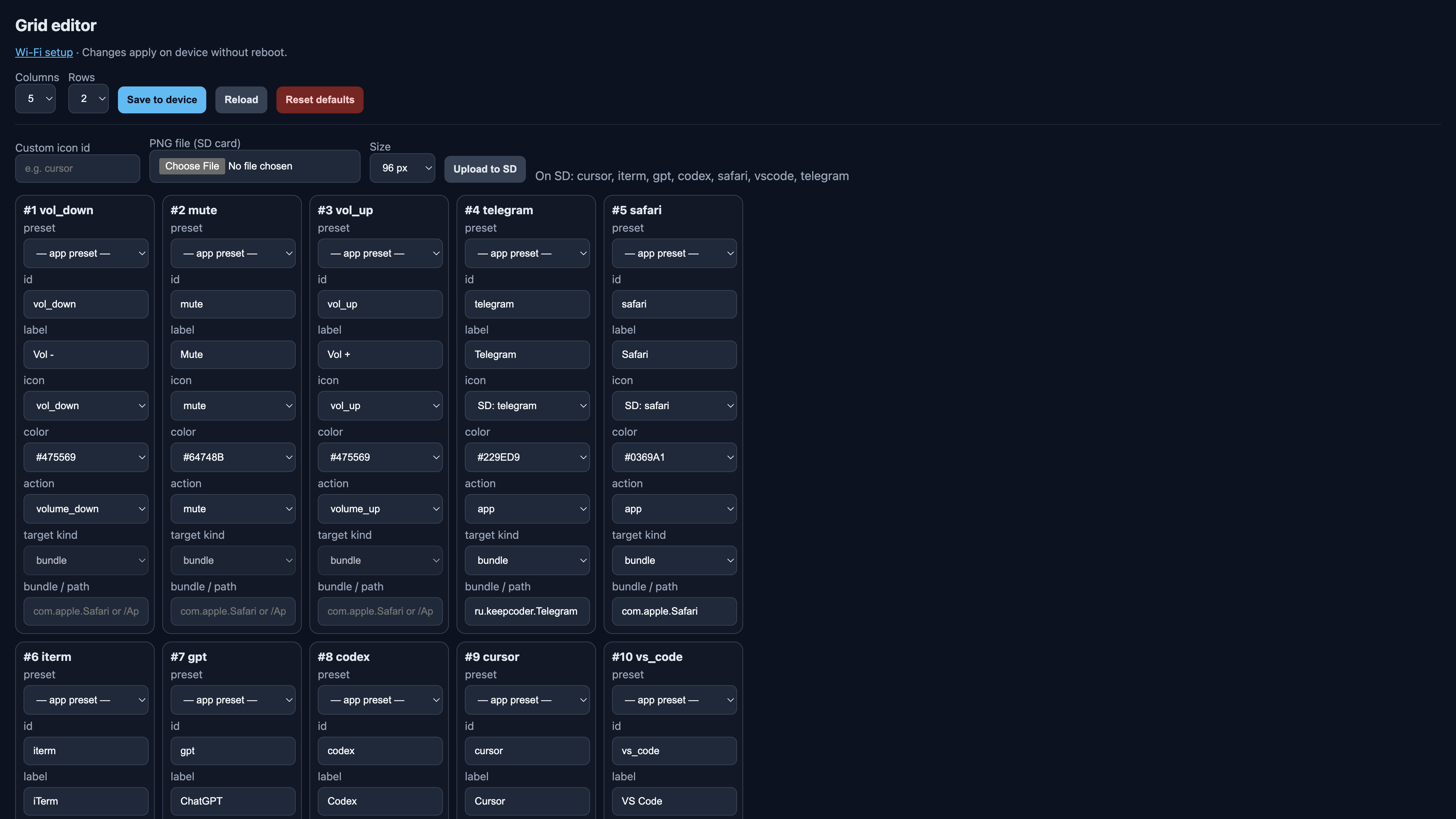
Open http://touchdeck.local/grid or Companion → Grid: change columns/rows, labels, SD icons, actions (action_id) → Save to device. Full docs: user guide (EN).
Buy the board
TouchDeck targets the Guition JC8048W550C (ESP32-S3, 5″ / 7″ class IPS 800×480 + capacitive touch). Product listing: AliExpress — JC8048W550C.
Quick troubleshooting
| Symptom | Check |
|---|---|
| App tiles dimmed | Companion Connected? ⇅ icon green? |
| Media / mute dead | BLE linked? Accessibility granted? |
| Volume % wrong after connect | Companion Log should show volume now X% |
| No system volume HUD | Expected on v4 (no BLE HID) |
| Portal won’t open | Try LAN IP or AP setup mode |
| Flash fails | Chrome/Edge, data cable, ESP32‑S3 port |
Ready to flash the board?
The Web Serial installer pulls firmware from GitHub Releases — no PlatformIO required on your machine.